


Best Desk Setups for Remote Knowledge Workers

Your Desk Is Not Furniture. It's a Cognitive Environment.
Here's something nobody tells you when you start working from home: your desk is not a desk. It's a sensory input pipeline that feeds directly into the neural circuits governing your attention, working memory, and executive function.
Every surface your eyes land on. Every degree of temperature on your skin. Every decibel of sound hitting your eardrums. Every photon of light entering your retina. Your brain is processing all of it, all the time, whether you're aware of it or not. And that processing has a cost. It draws from the same finite pool of cognitive resources you need for your actual work.
Most people design their home office for one of two things: aesthetics (it needs to look good on Zoom) or budget (whatever's cheapest). Almost nobody designs it for brain performance. Which is strange, because your brain is literally the tool you use to do your job.
That's about to change.
The Science Your Workspace Is Ignoring
Environmental neuroscience is the study of how physical surroundings affect neural function. It's been around since the 1960s, when Roger Ulrich's landmark research demonstrated that hospital patients with a window view of trees recovered faster than those facing a brick wall. Same surgery. Same medical care. Different view. Measurably different outcomes.
Since then, the field has exploded. We now have solid evidence that specific environmental variables, things like light spectrum, ambient temperature, acoustic profile, visual complexity, and air quality, don't just affect your "mood." They directly modulate the neurochemical systems that govern attention and cognition.
A few numbers to set the stage:
- A 2006 study at Cornell found that raising room temperature from 68F to 77F reduced typing errors by 44% and increased output by 150%.
- Research published in Indoor Air found that CO2 levels above 1,000 ppm reduce cognitive function by 15%, and most closed home offices exceed this threshold within 2 hours.
- A study in the Journal of Environmental Psychology showed that moderate ambient noise (around 70 dB) improves creative cognition by 35% compared to silence.
- NASA's Clean Air Study confirmed that a single potted plant per 100 square feet significantly reduces airborne toxins that cause headaches and mental fog.
These aren't small effects. And they're all within your control. The question isn't whether your workspace affects your brain. It's how much performance you're leaving on the table.
The Monitor Question: Ultrawide, Dual, or Single?
Let's start with the thing you stare at for 8+ hours a day.
The debate between ultrawide and dual monitors has been raging in productivity forums for years, and most of it misses the point. The question isn't which one looks cooler. It's which one imposes less cognitive overhead.
Single Monitor (24-27 inches): Forces constant window management. Your brain spends energy on context-switching between apps. However, some research suggests that a single screen reduces distraction by limiting the temptation to keep non-work content visible. Best for people who struggle with distraction.
Dual Monitors: A 2003 study by Microsoft Research found that dual monitors increased productivity by 9-50% depending on the task. The benefit comes from eliminating the cognitive cost of switching between windows. Reference material on one screen, active work on the other. The downside: the seam between monitors sits right where your eyes naturally rest, and neck rotation between screens can cause strain over long sessions.
Ultrawide (34-38 inches): Provides the screen real estate of dual monitors without the seam. A single, curved surface means your eyes travel naturally across a continuous visual field. The curve also keeps the edges of the screen roughly equidistant from your eyes, reducing the focus-refocus cycle that flat wide screens demand. This is the choice most ergonomics researchers now recommend.
Regardless of which configuration you choose, positioning matters more than screen count. The top edge of your monitor should sit at or slightly below eye level. The screen should be 20-26 inches from your face (roughly arm's length). Tilt the screen back 10-20 degrees so your line of sight hits the surface perpendicularly. This reduces the accommodative stress on your ciliary muscles, the tiny muscles that flex your eye's lens, which are responsible for the end-of-day eye fatigue that most knowledge workers blame on "too much screen time."
The real culprit isn't screen time. It's screen positioning.
Lighting: The Most Underrated Variable in Your Setup
If you only optimize one thing about your workspace after reading this guide, make it lighting. The science here is overwhelming and the implementation is cheap.
Your eyes contain a type of photoreceptor called melanopsin-containing retinal ganglion cells (mRGCs). Unlike the rods and cones that handle vision, mRGCs don't help you see. They measure the color temperature and intensity of ambient light and send that information directly to your suprachiasmatic nucleus, the brain's master clock. This pathway regulates cortisol (your alertness hormone), melatonin (your sleep hormone), and serotonin (your mood regulator).
Translation: the color temperature of your desk lamp is directly adjusting your neurochemistry.
Here's what the research says:
- Morning work (6am-12pm): Cool white light at 5000-6500K boosts alertness and reaction time. This mimics the blue-enriched spectrum of morning sunlight.
- Afternoon work (12pm-4pm): Neutral white at 4000-5000K maintains alertness without overstimulating.
- Evening work (4pm onward): Warm light at 2700-3000K. This allows natural melatonin production to begin, protecting your sleep quality. Working under cool white light after 4pm suppresses melatonin by up to 50%, which is why late-night work sessions under fluorescent lights destroy your sleep.
Now, here's the "I had no idea" moment: bias lighting. This is a strip of LEDs placed behind your monitor, aimed at the wall. It sounds decorative. It isn't. Bias lighting reduces the luminance ratio between your screen and the surrounding environment. Without it, your screen might be 100x brighter than the wall behind it. Your pupils constantly oscillate between dilating (for the dark wall) and contracting (for the bright screen), causing a repetitive strain on the iris sphincter muscle. Bias lighting reduces this contrast ratio to 3:1 or less, which the Society of Motion Picture and Television Engineers identified as the optimal range for extended viewing.
Studies show that proper bias lighting reduces eye strain symptoms by up to 50% and reduces perceived fatigue. A basic USB LED strip costs $15. Dollar for dollar, it might be the highest-ROI purchase in this entire guide.
Get a bias lighting strip with adjustable color temperature (not just RGB party lights). Set it to 6500K during the day and 3000K at night, matching your main lighting. The Luminoodle or BenQ ScreenBar are both solid options under $50.
Sound: Why Silence Might Be Hurting You
Here's a counterintuitive finding: complete silence can be worse for focus than moderate noise.
A landmark 2012 study published in the Journal of Consumer Research tested creative performance across four noise conditions: silent, low (50 dB), moderate (70 dB), and high (85 dB). Moderate noise produced the best results. The researchers proposed that moderate ambient sound creates a slight "processing disfluency" that pushes the brain into abstract thinking mode, which benefits creative cognition.
This doesn't mean you should work in a coffee shop. Unpredictable noise (conversations, phones ringing, construction) is consistently harmful to focused work because it triggers the brain's salience network, the same neural circuit that evolved to detect predators. Every unexpected sound is a small false alarm that yanks your attention away from your task.
The sweet spot for knowledge work:
- Deep analytical work: Low, consistent ambient sound. Pink noise or brown noise at 50 dB. No lyrics, no rhythmic variation.
- Creative work: Moderate ambient sound (65-70 dB). Coffee shop ambiance or lo-fi beats work well here.
- Communication tasks (writing, email): Near-silence or nature sounds.
For acoustic treatment on a budget, a bookshelf full of books behind your camera doubles as both a Zoom backdrop and a broadband sound absorber. Heavy curtains on windows reduce outside noise by 10-15 dB. If you're in a particularly noisy environment, acoustic foam panels ($25 for a 12-pack) on the wall behind your monitor will noticeably reduce reflections and echo.
The Ergonomic Foundation: Desk and Chair
Your body and your brain aren't separate systems. Physical discomfort directly competes with cognitive resources. Every time your lower back twinges, your brain fires a pain signal that interrupts whatever neural process was running. It's like a background app draining your battery.
The desk: A sit-stand desk isn't a luxury anymore. A 2016 study in the British Medical Journal found that sit-stand desk users reported improved engagement, reduced fatigue, and better focus. The mechanism isn't complicated: changing posture changes blood flow. Standing increases blood flow to the brain by approximately 15% compared to sitting. But standing all day causes its own problems (varicose veins, foot pain, increased fatigue). The optimal pattern is alternating every 30-45 minutes.
The chair: You'll sit for at least half your workday, so this matters. The key adjustments are seat height (your feet flat on the floor, thighs parallel to the ground), lumbar support (maintaining the natural curve of your lower spine), and armrest height (your forearms parallel to the ground when typing). A chair that gets all three right prevents the micro-pain signals that fragment your attention.
Keyboard and mouse: Repetitive strain injuries don't announce themselves. They accumulate silently until you can't work at all. A split ergonomic keyboard (like the Kinesis Advantage 360 or ZSA Voyager) positions your wrists at a natural angle, eliminating the ulnar deviation that standard keyboards force. A vertical mouse keeps your forearm in a neutral rotation instead of the pronated position that a standard mouse demands. These aren't comfort upgrades. They're career longevity investments.
The Biophilic Factor: Why Your Brain Wants Plants
In 2014, researchers Nieuwenhuis, Knight, and colleagues published a study that made interior designers very happy. They took lean, minimalist offices and added plants. Nothing else changed. Productivity increased by 15%.
This isn't some soft, "plants make you happy" handwaving. The effect appears to operate through multiple mechanisms:
Air quality: Plants absorb CO2 and release oxygen. In a closed home office, CO2 levels can climb above 1,000 ppm within 2 hours, the threshold at which Harvard researchers documented measurable cognitive impairment. A few plants won't turn your office into a rainforest, but spider plants, pothos, and snake plants are particularly effective at reducing CO2 and volatile organic compounds (VOCs) like formaldehyde.
Attention restoration: Attention Restoration Theory (ART), developed by Rachel and Stephen Kaplan in the late 1980s, proposes that natural elements engage "involuntary attention," a soft fascination that allows your directed attention circuits to rest and restore. Staring at a plant for 40 seconds (yes, just 40 seconds) has been shown to measurably restore concentration on subsequent tasks.
Stress reduction: Visual exposure to greenery reduces cortisol levels. Lower cortisol means lower anxiety, and anxiety is one of the primary cognitive performance killers. It monopolizes working memory by running threat-detection loops that have nothing to do with your actual work.
You don't need a jungle. Two to three plants within your visual field is enough to trigger these effects. Place at least one where you can see it without turning your head. That passive exposure is what drives the attention restoration benefit.
Temperature: The Goldilocks Variable
Temperature is the environmental variable that most people get wrong because they rely on personal comfort instead of cognitive research.
| Temperature | Effect on Cognition | Best For |
|---|---|---|
| Below 68F (20C) | Vasoconstriction reduces peripheral blood flow. The body diverts energy to maintaining core temperature. Fine motor control and typing speed decrease. Error rates increase. | Nothing. Too cold for knowledge work. |
| 68-70F (20-21C) | Functional but suboptimal. Slight increase in tension and physical discomfort for most people. | Short, high-intensity work sessions. |
| 70-72F (21-22C) | The cognitive sweet spot. Error rates are lowest. Typing speed is highest. Self-reported comfort peaks. | Deep focus, analytical work, writing. |
| 72-77F (22-25C) | Still functional. Slight decrease in alertness due to parasympathetic activation (the warmth-induced relaxation response). | Creative work, brainstorming. |
| Above 77F (25C) | Cognitive performance drops measurably. Attention span shortens. Fatigue sets in faster. | Nothing. Too warm for knowledge work. |
The Helsinki University of Technology meta-analyzed data from 24 studies and found that performance peaks at approximately 71.6F (22C). Every degree above or below that optimum produced a measurable decline.
If you can't precisely control your room temperature, a small space heater or a desk fan gives you micro-climate control over your immediate workspace. It's a $30-50 fix for a problem that might be costing you 10-15% of your cognitive output.
Cable Management and Visual Clutter: Your Brain's Noise Floor
This one sounds trivial. It isn't.
A 2011 study at Princeton's Neuroscience Institute used fMRI to demonstrate that visual clutter competes for neural representation in the visual cortex. When your visual field contains multiple unrelated objects, each one generates a competing signal. Your brain must actively suppress the irrelevant signals to focus on the task at hand. This suppression draws from the same prefrontal resources you need for executive function.
In plain English: every random cable, Post-it note, and empty coffee mug on your desk is a tiny tax on your focus.
You don't need a minimalist Instagram desk. You need a system. Cable trays mounted under the desk ($15-20) eliminate the cable spaghetti. A single desk organizer keeps pens, chargers, and small items contained. The goal isn't emptiness. It's reducing the number of distinct visual objects competing for your brain's attention.
The "end of day reset" habit is one of the highest-use things you can do for morning focus. Spend 3 minutes clearing your desk before you close your laptop. When you sit down the next day, your visual cortex encounters a clean signal instead of yesterday's clutter. It's like clearing your browser's cache, but for your brain.
Budget Tiers: Building Your Setup at Every Price Point
Not everyone can overhaul their entire workspace at once. Here's how to prioritize based on budget, ranked by cognitive ROI.
This tier focuses on the changes with the highest impact per dollar. If you're on a tight budget, these are the purchases that actually move the needle on cognitive performance.
- Monitor arm ($35): Gets your screen to the correct height and distance. Eliminates neck strain.
- Bias lighting strip ($15-30): Reduces eye strain by 50%. Absurd ROI.
- Desk lamp with adjustable color temperature ($40-60): Lets you match light spectrum to time of day.
- Two to three desk plants ($20-40): 15% productivity boost for the price of a few pothos.
- Cable management tray ($15-20): Eliminates visual noise from cables.
- Quality mouse pad with wrist rest ($15-25): Prevents wrist strain accumulation.
- Desk fan or small heater ($25-40): Micro-climate control for your cognitive sweet spot.
- Noise-cancelling earbuds or headphones ($100-200): Acoustic environment control.
- Standing desk converter ($150-250): Adds sit-stand capability to your existing desk.
This tier replaces the foundations. You're not patching a mediocre setup anymore. You're building one purpose-designed for cognitive work.
- Electric sit-stand desk ($400-600): Full range of motion, programmable height presets, no manual cranking.
- Ergonomic chair ($300-500): Proper lumbar support, adjustable armrests, breathable mesh. The HON Ignition 2.0 or Autonomous ErgoChair are solid without the Herman Miller price tag.
- 27-inch 4K monitor ($250-350): Sharp text reduces eye strain. 4K at 27 inches hits the sweet spot for text clarity at arm's length.
- Monitor light bar ($50-80): BenQ ScreenBar or similar. Dedicated task lighting without screen glare.
- Split ergonomic keyboard ($150-250): Eliminates ulnar deviation. Your wrists will thank you in 10 years.
- Vertical mouse ($30-50): Neutral forearm rotation.
- Acoustic panels ($25-50): 6-8 panels behind your monitor. Reduces echo and ambient noise reflection.
- Air quality monitor ($80-120): Tracks CO2, temperature, and humidity. Now you know when to open a window.
This is where you stop guessing and start measuring. Every component is chosen for a specific cognitive benefit, and you have the tools to verify that benefit.
- Everything from Tier 2, plus:
- 34-38 inch curved ultrawide monitor ($500-800): Continuous visual field, no seam, natural eye travel.
- Premium ergonomic chair ($800-1,500): Herman Miller Aeron, Steelcase Leap, or HumanScale Freedom. These last 12+ years and hold their resale value.
- Full spectrum tunable lighting system ($150-300): Circadian-matched lighting that shifts automatically throughout the day.
- Air purifier with HEPA filter ($100-200): Removes particulates that cause low-grade inflammation and mental fog.
- Neurosity Crown ($1,499): Real-time brain monitoring. Track your focus scores across different environmental conditions. Turn every workspace change into a controlled experiment with measurable outcomes. This is the component that makes the entire setup intelligent instead of just comfortable.
Adding a Brain Monitor to Your Setup
Here's the fundamental problem with every desk setup guide you've ever read: they're all based on averages. Population-level research says 72F is optimal. But you're not a population. You're a specific brain in a specific body in a specific room.
Maybe your focus actually peaks at 74F. Maybe you do your best analytical work with brown noise at 55 dB, not 70 dB. Maybe that plant on your left does nothing, but the one in your peripheral vision on the right makes a measurable difference. You don't know. You can't know. Not without measuring the thing that actually matters: your brain's output.
This is where the desk setup conversation takes a turn that most guides never make.
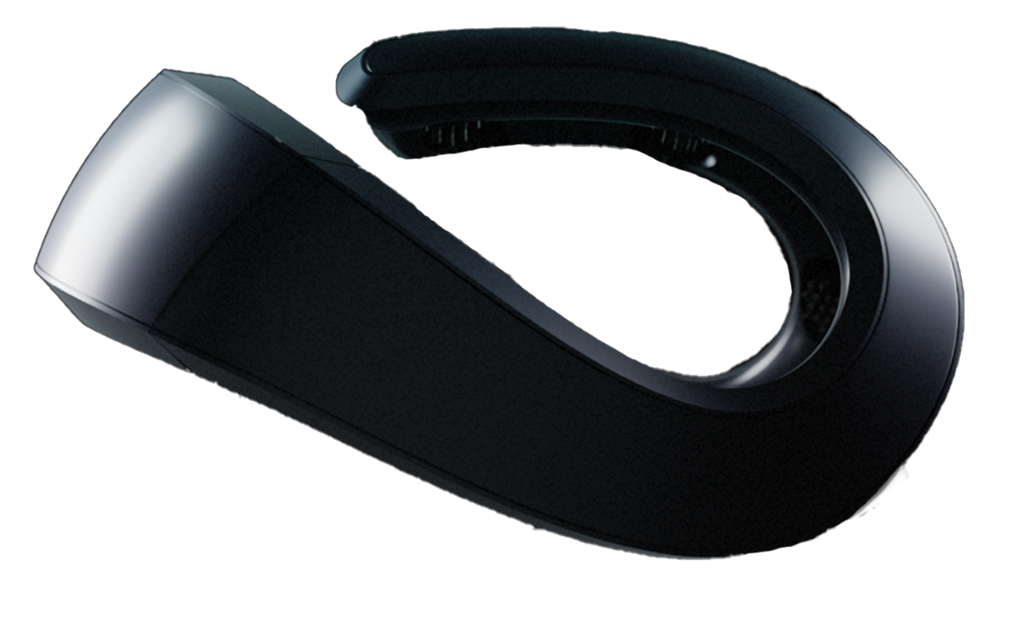
The Neurosity Crown is a lightweight (228 grams, roughly the weight of a banana), 8-channel EEG headset designed specifically for desk use during knowledge work. It sits on your head like a pair of headphones and measures your brainwave patterns in real time. From those patterns, it generates focus scores and calm scores that tell you, objectively, how well your brain is performing right now.
Think about what that means for your desk setup. Instead of reading a study that says "bias lighting reduces eye strain" and hoping it applies to you, you can install the bias lighting, wear the Crown for a week, and compare your average focus scores to the week before. Instead of guessing whether 70F or 73F is your sweet spot, you can track it.
Every environmental variable we've discussed in this guide, lighting, temperature, noise, desk organization, plants, becomes a testable hypothesis when you have a way to measure your brain's actual response. The Crown processes everything on-device through its N3 chipset, so your brainwave data stays private. And because it's designed for multi-hour sessions at a desk, it doesn't disrupt the very cognitive state you're trying to optimize.
Your desk setup stops being a collection of best practices borrowed from someone else's research. It becomes a personalized cognitive environment, tuned to your specific brain, verified by your own data.
The Setup Nobody Talks About: Your Digital Desk
One more thing before you go reorganize your physical space. There's a desk you sit at inside your computer, too. And the same principles apply.
Your digital workspace is a cognitive environment. Every open browser tab is visual clutter competing for neural representation, just like that pile of cables. Every notification is an unpredictable auditory stimulus triggering your salience network, just like that neighbor's leaf blower. Every disorganized folder is a decision that drains your finite executive function resources.
Apply the same logic: reduce unnecessary inputs, organize what remains, and create systems that minimize the number of decisions your brain has to make before it can do real work.
Clean desk. Clean desktop. Clean mind.
The Real Question
Most people spend more time researching which coffee maker to buy than they spend thinking about the environment where they do 2,000+ hours of cognitive work per year. They'll agonize over the difference between a $300 and $400 office chair but never spend $15 on a bias lighting strip that would reduce their eye strain by half.
The reason is simple: we don't think of our physical environment as a cognitive tool. We think of it as a backdrop. Something that exists around us while we work, rather than something that actively shapes the quality of that work.
But your brain doesn't see it that way. Your brain is a prediction machine that's constantly modeling its environment, allocating resources to process every input, and adjusting its neurochemical state based on what it detects. Your desk isn't a backdrop. It's an input. And right now, you're feeding your brain unoptimized inputs for 8 hours a day, then wondering why the output isn't what you want.
You have a choice. You can keep designing your workspace for how it looks. Or you can start designing it for how it makes you think.
Your brain already knows the difference. Maybe it's time you started measuring it.