


Open-Source Projects Built on the Neurosity SDK

The Most Important Brain-Computer Interface Code Isn't Written by a Corporation. It's on GitHub.
Here's a pattern that repeats across every computing platform that ever mattered. The hardware ships. The official SDK launches. And then the interesting part begins: developers who didn't build the platform start building things the platform's creators never imagined.
It happened with the iPhone. Apple shipped a phone. Developers turned it into a medical device, a musical instrument, a navigation system for the visually impaired. It happened with Arduino. A tiny Italian circuit board became the nervous system of a million robots, weather stations, and art installations nobody at Arduino HQ ever dreamed of.
It's happening right now with brain-computer interfaces. And the Neurosity SDK is where it's happening fastest.
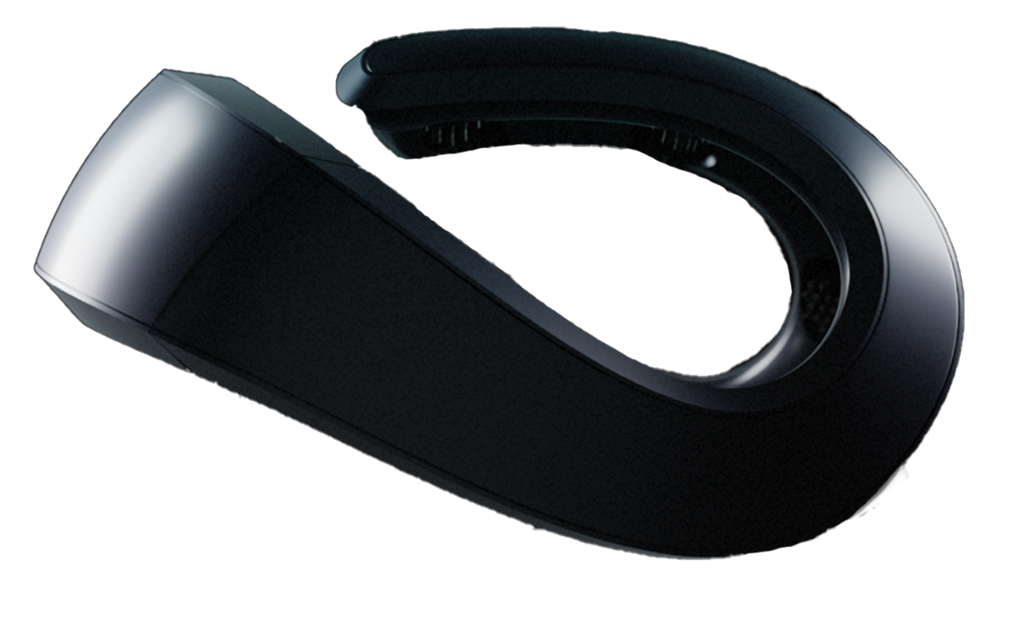
The Crown is an 8-channel EEG that streams brain data at 256Hz through open JavaScript and Python APIs. That sentence sounds technical and dry. But what it really means is this: any developer with a laptop and a Crown can build software that responds to human thought. Not metaphorically. Not "AI that predicts what you want." Actual electrical signals from your cortex, translated into data, fed into code you wrote, doing things you decided.
The open-source projects being built on this SDK are the proof. They're not polished corporate demos. They're real tools, built by real developers, solving real problems. And every one of them is open for you to study, fork, and improve.
Let's look at what people are building.
Why Open Source Matters More for BCI Than Almost Anything Else
Before we get into specific projects, it's worth understanding why open source isn't just nice-to-have for brain-computer interfaces. It's existential.
Think about what BCI software does. It reads data from your brain. It interprets your cognitive states. It makes decisions based on your neural activity. Now imagine all of that happening inside a black box you can't inspect.
With open-source BCI code, you can trace every line from sensor reading to application output. You can verify that your brain data isn't being sent somewhere you didn't authorize. You can understand exactly how a "focus score" gets calculated, not just trust that the number means what someone tells you it means. For a technology that literally reads your mind, that transparency isn't a feature. It's a prerequisite for trust.
There are three more reasons open source is critical for BCI specifically:
Reproducibility. Neuroscience has a replication crisis. When researchers publish results using proprietary BCI tools with closed algorithms, nobody can verify the signal processing pipeline. Open-source projects let other developers and researchers reproduce results exactly, which is how science is supposed to work.
Community innovation. No single company, no matter how talented its engineers, can imagine every possible use case for brain data. A solo developer in Tokyo building a brain-controlled music synthesizer and a PhD student in Berlin creating an anxiety detection system are both pushing the boundaries of what BCI can do. Open source is the mechanism that lets these innovations compound.
Lowered barriers. Every open-source Neurosity SDK project is also a tutorial. When someone publishes a working brain-controlled home automation system on GitHub, every developer who reads that code learns how to structure a real-time BCI application. The collective knowledge of the community grows with every repository.
This is why the Neurosity SDK being MIT-licensed matters so much. It's not a marketing decision. It's a bet that the best things built with brain data will come from a community of builders, not a single company.
The Landscape: What Developers Are Building
The open-source projects emerging around the Neurosity SDK fall into distinct categories, each one pushing BCI in a different direction. Here's the map.
| Category | What It Does | Technical Approach | Difficulty |
|---|---|---|---|
| Neurofeedback Apps | Real-time brain state training and visualization | Crown focus/calm scores + reactive UI loops | Beginner to Intermediate |
| Brain-Controlled Interfaces | Control devices and systems with thought | Kinesis API + IoT protocols (MQTT, webhooks) | Intermediate |
| Meditation & Wellness | Track and deepen meditation with live brain data | Calm scores + brainwave power bands + session analytics | Beginner |
| Data Visualization | Dashboards for exploring EEG signals in real time | Raw brainwave streams + D3.js, Three.js, or WebGL | Intermediate |
| AI Integrations (MCP) | Brain-aware AI assistants and productivity tools | MCP server + Claude/ChatGPT + focus/calm metrics | Intermediate to Advanced |
| Research Tools | Data collection, labeling, and analysis pipelines | Raw EEG + BrainFlow/LSL + Python scientific stack | Advanced |
| Creative & Art Projects | Generative art, music, and installations driven by brainwaves | Power-by-band data + creative coding frameworks | Intermediate |
| Accessibility Tools | Hands-free interfaces for users with motor impairments | Kinesis training + custom command mapping | Advanced |
Let's dig into each one.
Neurofeedback Applications: Teaching Your Brain to Watch Itself
Neurofeedback is one of the oldest ideas in BCI and also one of the most immediately useful. The concept is simple: show someone their brain activity in real time, and their brain starts learning to regulate itself. It's biofeedback, but for the organ that controls everything else.
Developers are building open-source neurofeedback apps on the Neurosity SDK that go well beyond simple line graphs. Think of a web application where the background color of your screen shifts from red to blue as your focus score climbs. Or a 3D landscape that grows more lush and detailed the longer you maintain a calm state. Or a simple tone that changes pitch based on your alpha brainwaves power, giving your brain an auditory mirror it can learn from.
The technical approach is straightforward. The Crown's SDK exposes real-time focus and calm scores as observable streams. A neurofeedback app subscribes to these streams and maps the values to visual or auditory feedback. The entire feedback loop, from neuron firing to screen update, happens in under 200 milliseconds. That's fast enough for your brain to make the connection between its internal state and the external feedback.
What makes these open-source neurofeedback projects valuable isn't just the feedback mechanism. It's the experimentation. Different people respond to different types of feedback. Some developers are exploring gamified approaches where maintaining focus earns points. Others are testing whether haptic feedback through wearables creates a stronger learning signal than visual feedback alone. Every experiment, published as open code, teaches the community something new about how humans interact with their own brain data.
For neurofeedback to work, the delay between brain activity and feedback must be under about 250 milliseconds. Any longer, and the brain can't associate its internal state with the external signal. The Crown's on-device N3 chipset handles signal processing in hardware, which keeps the end-to-end latency well within this window. This is one of those details that sounds minor but makes the difference between a neurofeedback app that actually trains your brain and one that's just a pretty visualization.
Brain-Controlled Interfaces: When Thought Becomes a Command
This is the category that makes people's eyes go wide. And honestly, it should. Developers are building systems where a thought, trained through the Crown's kinesis API, triggers real-world actions.
Here's how it works. The Neurosity SDK includes a kinesis training system. You think a specific thought (like imagining pushing something forward) while the Crown records the EEG pattern. After several training sessions, the SDK learns to recognize that thought pattern in real time. When it detects the pattern, it fires an event. What you do with that event is entirely up to you.
Developers are wiring these events to everything imaginable. Smart home systems where a trained thought turns lights on or off via MQTT messages to a Philips Hue bridge. Robotics projects where kinesis events steer a small wheeled robot through a room. Drone control systems where imagined left and right movements map to yaw commands. Desktop automation where a mental command fires a keyboard shortcut to switch applications.
The honest caveat: thought-based control through non-invasive EEG is still imprecise compared to, say, clicking a mouse. You're working with a binary or small-vocabulary classifier, not a mind-reading system that understands arbitrary thoughts. Most brain-controlled interfaces built on the SDK use 2 to 4 trained commands. But within that constraint, the results are genuinely functional. Developers are reporting classification accuracies above 80% after focused training sessions.
And this is exactly where open source shines. Every developer who publishes their kinesis training approach, their classification accuracy results, and their integration code helps the next developer start from a higher baseline. The community is collectively figuring out which types of mental commands classify most reliably, which training protocols produce the best results, and which application architectures handle the inevitable misclassifications gracefully.
Meditation and Wellness Tools: Your Brain Data as a Practice Partner
Meditation apps are everywhere. But most of them are just guided audio with a timer. They have no idea whether you're actually meditating or silently planning your grocery list.
The open-source wellness tools built on the Neurosity SDK are different. They use real brain data. The Crown's calm score, derived from the balance of your brainwave frequency bands, provides a genuine signal of your meditative state. Alpha and theta power increase during deep meditation. Beta activity decreases. The SDK captures all of this.
Developers are building meditation trackers that show you exactly when your mind wandered during a session, pinpointed to the second. Session journals that pair your subjective experience ("I felt really settled around minute 8") with objective brainwave data that either confirms or challenges your perception. Progressive training systems that set calm score targets and gradually increase them as your practice improves.
One particularly clever approach uses the Crown's power-by-band data to detect the specific moment a meditator transitions from active thinking (high beta) to relaxed awareness (elevated alpha). The app plays a subtle chime at that transition point, reinforcing the internal state that produced it. It's neurofeedback specifically tuned for contemplative practice.
These tools matter because they bring objectivity to something that's been entirely subjective for thousands of years. You've never been able to answer the question "Am I actually getting better at meditating?" with data before. Now you can.
Data Visualization Dashboards: Making the Invisible Visible
Raw EEG data is a wall of numbers. 8 channels, each producing 256 samples per second. That's 2,048 data points every single second. Without visualization, it's incomprehensible.
Developers are building open-source dashboards that turn this data flood into something beautiful and meaningful. Real-time spectrograms that paint your brainwave frequencies as bands of color, scrolling across the screen like a living painting. 3D brain models where the regions covered by each of the Crown's 8 electrodes (CP3, C3, F5, PO3, PO4, F6, C4, CP4) glow with intensity proportional to their signal strength. Power spectrum charts that show you, right now, how much alpha, beta, theta, and gamma activity your brain is producing.
The technical stack for these projects typically combines the Neurosity JavaScript SDK with a visualization library. D3.js for 2D charts and spectrograms. Three.js or WebGL for 3D brain maps. Some developers are building React component libraries that wrap common EEG visualizations into reusable modules. Drop a <BrainwaveSpectrogram /> component into your app, pass it the Crown's data stream, and you've got a real-time visualization.
Time-domain traces: The classic squiggly lines. One line per channel, amplitude over time. Good for spotting artifacts (eye blinks, jaw clenches) and checking signal quality.
Power spectrum (FFT): A bar chart showing how much energy exists in each frequency band (delta, theta, alpha, beta, gamma). This is what most neurofeedback and cognitive state analysis relies on.
Spectrogram: Time on one axis, frequency on the other, color representing power. This shows how your brain's frequency profile changes over time. It's the most information-dense single visualization you can build.
Topographic map: A top-down view of the head with electrode positions color-coded by activity level. Shows spatial patterns across the brain. Particularly useful for visualizing asymmetries between hemispheres.
Coherence matrix: Shows how synchronized different brain regions are with each other. This is advanced but reveals connectivity patterns that single-channel metrics miss entirely.
These visualization projects aren't just pretty. They're essential infrastructure. Every neurofeedback app, every research tool, every brain-controlled interface needs some way to show the developer (and often the user) what the brain is actually doing. By building these as reusable open-source components, the community is creating shared infrastructure that makes every other project easier to build.
AI Integrations: The Category Nobody Saw Coming
This is the newest and arguably most exciting category of open-source Neurosity SDK projects. And it exists because of something that didn't exist two years ago: the Model Context Protocol.
MCP lets AI tools like Claude and ChatGPT query real-time data from external sources. The Neurosity Crown supports MCP natively. Which means developers can build AI applications that know what your brain is doing right now.
Let that sink in for a moment. An AI assistant that doesn't just respond to what you type, but adapts to your cognitive state while you're typing it.
Developers are building MCP-based projects that range from practical to mind-bending. Productivity systems where Claude monitors your focus score and gently suggests a break when it detects sustained cognitive fatigue. Coding assistants that adjust their verbosity based on your attention level, giving terse responses when you're in flow and detailed explanations when your focus is scattered. Writing tools that track your creative state across a session and learn which environmental conditions (time of day, music, break patterns) correlate with your best brain data.
The technical architecture is surprisingly clean. The Neurosity MCP server runs alongside your Crown, exposing brain state metrics as queryable context. When an AI tool connected via MCP needs to make a decision, it can check your current focus level, your calm score, and your recent cognitive trend. The AI's response then adapts accordingly.
Here's what makes this a genuine "I had no idea" moment: the combination of brain data and large language models creates a feedback loop that neither technology can produce alone. The LLM understands language and context. The Crown understands your brain state. Together, they can build a model of when you're most receptive to certain types of information and adjust in real time. That's not just a better chatbot. That's a fundamentally new kind of human-computer interaction.
And because these projects are open source, every developer who builds an MCP integration and publishes it is teaching the community what works. Which brain metrics are most useful for AI context? How often should the AI query your state without being creepy? What's the right balance between adaptation and consistency? These are design questions nobody has answered yet. The open-source community is answering them right now, one experiment at a time.
Research Tools: Open Data, Open Methods, Open Science
Academic researchers are building open-source data collection and analysis pipelines on the Neurosity SDK that make consumer EEG viable for real scientific work.
The Crown's 8 channels at 256Hz, with electrode positions at CP3, C3, F5, PO3, PO4, F6, C4, and CP4, cover frontal, central, parietal, and occipital regions. That's enough spatial coverage for many ERP (event-related potential) paradigms, frequency analysis studies, and basic connectivity research.
Developers in the research space are building tools like: automated data collection pipelines that stream Crown data into standardized formats (EDF, BIDS) compatible with MNE-Python and EEGLAB. Experiment runners built on the SDK that handle stimulus presentation, event marking, and data recording in a single JavaScript application. Quality assurance dashboards that monitor signal quality in real time and flag channels with high impedance or excessive artifact.
These research tools typically bridge the Neurosity SDK with BrainFlow and Lab Streaming Layer, giving researchers access to the Crown's data through the standard open-source neuroscience stack. A common architecture: the Crown connects through the Neurosity SDK, data streams out via BrainFlow's LSL integration, and MNE-Python handles preprocessing and analysis downstream.
The value proposition is straightforward. A Crown costs a fraction of what a research-grade EEG system costs. When open-source tools handle the software pipeline, a graduate student with limited funding can run studies that previously required a well-equipped neuroscience lab.
Creative and Art Projects: When Brainwaves Become a Paintbrush
Some of the most compelling open-source Neurosity SDK projects aren't tools at all. They're art.
Developers and artists are using the Crown's power-by-band data to drive generative visual and audio systems. The basic idea: map different frequency bands to different creative parameters. Alpha power controls color hue. Beta intensity controls brush stroke speed. Theta depth controls audio reverb. Gamma bursts trigger particle effects. Your brain becomes the instrument, and the art it produces is unique to your neural signature in that moment.
These projects often use creative coding frameworks like p5.js, Processing, or TouchDesigner, with the Neurosity JavaScript SDK feeding real-time brainwave data into the visual engine. Some artists are building interactive installations where gallery visitors wear the Crown and watch their brain activity transform into projected visuals on the wall. Others are creating music generation systems where different cognitive states produce different harmonic structures.
One fascinating direction: collaborative brain art, where multiple Crown-wearing participants contribute their brainwave data to a single shared canvas. The interaction between different people's neural patterns creates emergent visual patterns that none of them could produce alone. It's a literal visualization of collective consciousness, or at least collective neural activity.
These creative projects serve a purpose beyond aesthetics. They're the most accessible entry point for people who aren't developers or scientists to experience what brain-computer interfaces can do. You don't need to understand Fourier transforms to stand in front of a projection that's moving in sync with your thoughts. The experience is immediate and visceral. And for many people, it's the moment BCI stops being an abstract technology and starts being personal.
Accessibility Tools: BCI's Most Important Promise
This category is smaller than the others but arguably the most meaningful. Developers are building open-source accessibility tools that use the Crown's kinesis training and brain state detection to create hands-free computer interfaces.
For someone with severe motor impairments, the ability to send a command to a computer by thinking is not a parlor trick. It's independence.
The projects in this space tend to focus on building reliable, consistent input systems from the Crown's kinesis API. A trained thought maps to a selection action. Calm state detection maps to a "rest" mode that prevents accidental activations. Developers are building adaptive switch interfaces, where kinesis events replace physical switches in existing assistive technology ecosystems. Others are creating brain-controlled keyboard systems with scanning interfaces, where the user's thought triggers a selection as a cursor highlights letters.
The technical challenge here is different from the brain-controlled drone projects. Accuracy matters more than speed. A false positive in a home automation system is annoying. A false positive in an accessibility interface can be genuinely frustrating for someone who depends on it. This is why the open-source approach is so valuable for accessibility: the code can be audited, tested across many users, and refined based on real-world feedback from the people who actually use it.
How to Start Contributing
You've seen the landscape. Maybe something sparked an idea. Here's how to go from reading about these projects to actually contributing to them.
Step 1: Set up the SDK. Install the Neurosity JavaScript SDK with npm install @neurosity/sdk or the Python SDK with pip install neurosity. The docs include quickstart examples that get you streaming brain data in under 20 lines of code.
Step 2: Run the examples. The Neurosity GitHub organization hosts starter projects and example applications. Run them. Read the code. Modify something small. Change a threshold, swap a visualization, add a data logging feature. The fastest way to learn any SDK is to break someone else's working example and then fix it.
Step 3: Pick a problem that interests you. Don't start with "I want to build a BCI project." Start with "I want to solve this specific problem, and brain data might help." The best open-source projects come from personal itches. If you meditate and wish you had better session data, build a meditation tracker. If you're a musician who wonders how your brain state affects improvisation, build a tool to find out.
Step 4: Start small, share early. Your first contribution doesn't need to be a full application. A single reusable React component that visualizes power-by-band data is valuable. A well-documented example of connecting the Crown to a specific IoT platform is valuable. A bug fix or documentation improvement on an existing project is valuable. The community grows one contribution at a time.
Step 5: Join the community. The Neurosity Discord is where developers share work-in-progress projects, debug issues together, and find collaborators. It's also where you'll discover which problems are most worth solving, because someone's probably struggling with it right now and talking about it.
If you're not sure where to start, here are five beginner-friendly open-source project ideas using the Neurosity SDK: (1) A focus timer that tracks your real brain data alongside Pomodoro intervals. (2) A browser extension that dims distracting tabs when your focus score drops. (3) A simple calm score logger that saves session data to a CSV for later analysis. (4) A React component that renders a real-time brainwave frequency chart. (5) A webhook bridge that sends Crown events to Slack, Discord, or any HTTP endpoint. Each of these can be built in a weekend and is immediately useful to other developers.
What Is the Developer Community Behind All of This?
Open-source projects don't sustain themselves. Communities do.
The Neurosity developer community is still relatively young, which is both a challenge and an opportunity. The challenge: you won't find a StackOverflow answer for every question yet. The opportunity: the people who are here now are shaping the norms, the conventions, and the shared libraries that everyone after them will build on. Being an early contributor to a platform's ecosystem is how developers end up maintaining the libraries that thousands of others depend on.
The community is centered around a few hubs. The Neurosity Discord server is the most active, with channels for SDK support, project showcases, and general BCI discussion. The GitHub organization hosts the SDK repositories, example projects, and community-contributed tools. The developer documentation serves as both API reference and learning resource.
What's distinctive about this community is the overlap between hardware and software thinking. BCI development requires understanding both signal processing and application architecture, both neuroscience and user experience. The developers here aren't just writing code. They're learning about brainwave frequency bands, electrode placement, and signal artifacts. That cross-disciplinary curiosity is infectious, and it shows up in the quality and creativity of the projects people build.
What You're Really Building
Let's zoom out for a moment.
Every computing platform in history started the same way. First, it was a curiosity. Then, developers started building on it. Then, one of those developers built the thing that made everyone else realize the platform mattered.
Nobody remembers the first iPhone app. But somebody built it, and that person's work inspired the next thousand developers, and one of those developers built something that changed everything.
Brain-computer interfaces are at that stage right now. The Crown gives you 8 channels of EEG at 256Hz. The SDK gives you clean APIs in JavaScript and Python. MCP gives you a bridge to AI. And every open-source project built on this stack pushes the entire field forward by one more step.
The neurofeedback app you build this weekend might be the starting point for a clinical tool that helps people with ADHD brain patterns regulate their attention. The brain-controlled interface you hack together at a hackathon might inspire an accessibility project that gives someone independence they didn't have before. The MCP integration you open-source might become the template that every neuroadaptive AI application copies.
Or maybe your project just teaches you something fascinating about your own brain. That's enough too.
The code is open. The hardware is ready. The community is building. The only question is what you'll build first.