


Best Practices for Electrode Placement in Consumer EEG

Three Millimeters Between Insight and Garbage
Here's something that might bother you: the most sophisticated consumer EEG device in the world will give you completely useless data if you put it on wrong.
Not "slightly degraded" data. Not "noisy but salvageable" data. Useless. The kind of signal that a machine learning algorithm would look at and say, in its own mathematical way, "I have no idea what this person's brain is doing."
And the margin is smaller than you'd expect. A few millimeters of electrode shift can move a sensor from sitting directly over the motor cortex to sitting over a region that, for your purposes, might as well be empty space. The electrical signature of focused attention looks completely different from the electrical signature of visual processing, and the brain regions responsible for each are separated by a distance you could cover with your thumb.
This is the fundamental tension of consumer EEG. The devices are getting remarkably good. The sensors are sensitive, the processing is powerful, the algorithms are smart. But all of that engineering excellence is downstream of one deceptively simple question: are the electrodes in the right place?
Let's fix that.
The Map on Your Skull: How the 10-20 System Works
Before we talk about how to place electrodes, we need to talk about where they should go and why. And that means understanding the coordinate system that every EEG device on the planet relies on.
In 1958, a Canadian neuroscientist named Herbert Jasper solved a problem that had plagued brain research for decades. Labs around the world were strapping electrodes to people's heads and recording brainwaves, but nobody could agree on where the electrodes should go. One lab might put a sensor two inches above the left ear. Another lab might put it three inches. They were both "recording from the brain," but they were recording from different parts of it, and their data was incomparable.
Jasper's solution was elegant: instead of using fixed distances in centimeters (which would land on different brain regions for different head sizes), use percentages. Measure the total distance between bony landmarks on the skull, then place electrodes at points that represent 10% and 20% of those distances.
The landmarks are things you can feel on your own head right now. The nasion is the dip at the bridge of your nose. The inion is the bump at the back of your skull. The preauricular points are just in front of each ear. Stretch a measuring tape from nasion to inion, mark 10% and 20% intervals, and you've got a line of electrode positions running front-to-back along your midline. Do the same ear-to-ear, and you've got the lateral positions.
This is the International 10-20 System. It defines 21 standard positions, and every single one gets a label you can decode at a glance.
The letters tell you the brain region: F for frontal, C for central, P for parietal, O for occipital, T for temporal. Combined letters like CP (centroparietal) or PO (parieto-occipital) mark positions between major regions.
The numbers tell you the hemisphere and distance from the midline: odd numbers (1, 3, 5, 7) are on the left, even numbers (2, 4, 6, 8) are on the right, and z (zero) marks the exact midline. Lower numbers sit closer to center; higher numbers sit farther out toward the ears.
So F5 means: frontal lobe, left hemisphere, moderately far from the midline. PO4 means: parieto-occipital region, right hemisphere, close-ish to the midline. Once you know the code, every label is a tiny GPS coordinate for the brain.
The reason this matters for electrode placement is straightforward: the 10-20 system doesn't just tell you where to put electrodes. It tells you what you'll find there.
What Each Brain Region Actually Tells You
This is where electrode placement stops being abstract and starts being practical. Different regions of the cortex do different things, and the signals they produce carry different information. Put an electrode in the wrong spot, and you're eavesdropping on the wrong conversation.
| Region Letter | Brain Area | What It Does | Signal Signatures |
|---|---|---|---|
| F (Frontal) | Frontal lobe | Executive function, planning, attention, decision-making, working memory | Frontal theta (4-8 Hz) during concentration, frontal alpha asymmetry for emotional regulation, beta activity during active thinking |
| C (Central) | Central sulcus / motor strip | Motor control, motor imagery, somatosensory processing | Mu rhythms (8-12 Hz) that suppress during movement or imagined movement, beta rebound after motor actions |
| P (Parietal) | Parietal lobe | Spatial awareness, sensory integration, attention allocation, mathematical processing | P300 event-related potentials, posterior alpha during relaxed alertness, gamma bursts during multimodal integration |
| O (Occipital) | Occipital lobe | Visual processing, pattern recognition | Strong alpha (8-12 Hz) when eyes are closed, visual evoked potentials, steady-state visually evoked potentials (SSVEPs) |
| T (Temporal) | Temporal lobe | Language, auditory processing, memory encoding | Theta oscillations during memory tasks, auditory evoked potentials, language-related gamma activity |
Here's the "I had no idea" moment. The alpha rhythm, that 8-12 Hz oscillation that dominates most people's resting EEG, isn't the same everywhere on your head. Occipital alpha is primarily a visual idling signal. It gets stronger when you close your eyes and weaker when you open them. But frontal alpha tells a completely different story. Frontal alpha asymmetry (the difference between left and right frontal alpha power) is one of the most studied markers in affective neuroscience. More alpha on the left frontal region relative to the right is associated with withdrawal behavior and negative emotion. More on the right relative to left is associated with approach behavior and positive emotion.
Same frequency. Same name. Completely different meaning. And you'd never know the difference if your electrode was in the wrong place, or if your device only covered one region.
This is exactly why electrode position selection in consumer devices is such a consequential design decision.
Why Consumer EEG Picks Different Positions Than Clinical Caps
A clinical EEG setup might use 19, 32, or even 256 electrodes. When you've got that many sensors, you can afford to be comprehensive. Cover everything. Let the analysis sort out what matters.
Consumer devices don't have that luxury. Every additional electrode adds cost, complexity, weight, and setup time. A consumer EEG needs to be something you put on in seconds, not minutes. That means fewer channels. And fewer channels means every single electrode position is a design decision with real consequences.
The question isn't "where can we put electrodes?" It's "given that we can only have N electrodes, which N positions extract the maximum useful information for our intended applications?"
Clinical caps optimize for diagnostic coverage. They need to detect focal abnormalities that could be anywhere on the cortex, so they spread electrodes as uniformly as possible. Missing a seizure focus because there wasn't an electrode over that exact region would be a clinical failure.
Consumer devices optimize for specific cognitive signals. A meditation headband might only need frontal and parietal midline positions to track alpha and theta. A sleep tracker might prioritize frontal channels where sleep spindles and K-complexes and K-complexes are most visible. A focus-monitoring device needs frontal theta and beta coverage.
But a general-purpose brain-computer interface, one that supports focus tracking, meditation, motor imagery, developer-built applications, and real-time cognitive state detection? That device needs to cover as many functionally distinct brain regions as possible with as few electrodes as possible.
It's an optimization problem. And the solution is to choose positions that span multiple lobes, cover both hemispheres symmetrically, and capture the widest range of cognitive signals per channel.
The Crown's Electrode Positions: Why These Eight
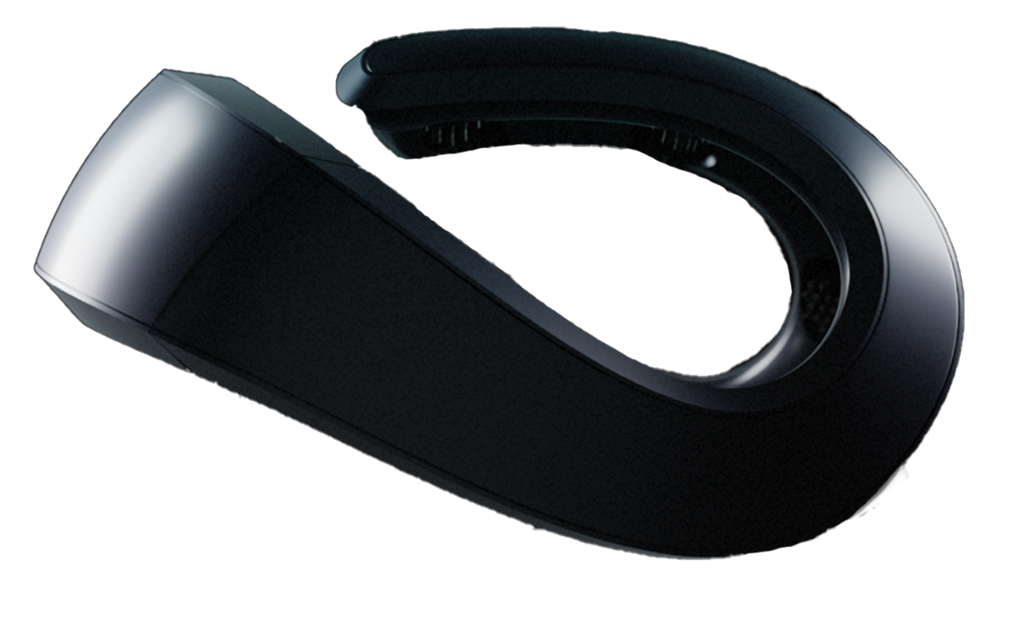
The Neurosity Crown places its 8 EEG sensors at positions CP3, C3, F5, PO3, PO4, F6, C4, and CP4. These aren't random picks from the 10-20 chart. Each position was chosen to maximize the cognitive information you can extract from an 8-channel device.
| Position | Region | Hemisphere | Why It's There |
|---|---|---|---|
| F5 | Frontal | Left | Captures executive function, sustained attention, verbal working memory, and left-frontal alpha for emotional regulation |
| F6 | Frontal | Right | Captures spatial attention, creative processing, right-frontal alpha for approach/withdrawal behavior |
| C3 | Central | Left | Sits over the motor strip controlling the right hand. Essential for motor imagery BCI, kinesis detection |
| C4 | Central | Right | Sits over the motor strip controlling the left hand. Paired with C3 for bilateral motor classification |
| CP3 | Centroparietal | Left | Bridges motor and sensory processing. Captures language-related spatial processing and sensorimotor integration |
| CP4 | Centroparietal | Right | Bridges motor and sensory processing. Captures body schema, spatial awareness, sensorimotor integration |
| PO3 | Parieto-occipital | Left | Captures posterior alpha rhythms, visual attention, reading-related activity |
| PO4 | Parieto-occipital | Right | Captures posterior alpha rhythms, visual spatial processing, face recognition circuits |
Notice the architecture. Four electrodes on the left hemisphere, four on the right. Perfect bilateral symmetry. This isn't aesthetic preference. It's functional necessity. Asymmetry between hemispheres is one of the most information-rich features in EEG. Frontal alpha asymmetry indexes emotional regulation. Central mu rhythm asymmetry indexes motor planning. You can't measure asymmetry with electrodes on only one side.
Notice the spread. The positions span from frontal (F5/F6) through central (C3/C4) and centroparietal (CP3/CP4) to parieto-occipital (PO3/PO4). That's three distinct functional zones across the anterior-posterior axis. The Crown doesn't have temporal or occipital midline electrodes, but it doesn't need them for its core applications. What it does have is coverage of the four regions that matter most for cognitive state monitoring: the frontal executive system, the central motor system, the parietal integration system, and the posterior visual/alpha system.
Getting the Fit Right: The Practical Guide
All of that electrode position engineering means nothing if the device isn't sitting on your head properly. Here's where theory meets practice.
The Hair Problem (It's Bigger Than You Think)
Hair is the single biggest enemy of consumer EEG signal quality. Not because hair is electrically noisy, but because it's an insulator. Every strand of hair trapped between an electrode and your scalp increases the physical distance between the sensor and your skin. And distance is the enemy of electrical contact.
Think of it this way. EEG signals at the scalp surface are measured in microvolts. That's millionths of a volt. The signal from a single neuron is far too weak to detect at the scalp. What EEG actually picks up is the synchronized activity of thousands or millions of neurons firing together. Even then, the voltage is tiny. Anything that increases the gap between the electrode and the skin, even a few strands of hair, attenuates that already-tiny signal and lets environmental electrical noise dominate.
Before putting on your device, use your fingers to part hair at the areas where electrodes will make contact. For the Crown, that means parting hair along the band's path across your head, paying special attention to the eight electrode contact points. If you have thick or curly hair, try gently working hair to either side of where each electrode sits. Some users find that slightly dampening their hair (not soaking it) improves electrode contact. Avoid oily hair products before EEG sessions, as oils can coat the electrode surface and increase impedance over time.
Understanding Impedance (The Number That Tells You Everything)
Impedance is the most important number in EEG that most people have never heard of. It measures the electrical resistance between each electrode and your scalp, expressed in kilohms (thousands of ohms). And it tells you, in a single value, whether that electrode is making good contact.
In clinical EEG with wet electrodes (sensors that use conductive gel), technicians aim for impedance below 5 kilohms. That's the gold standard. Consumer devices with dry electrodes can't achieve that without gel, so they work with higher impedances, typically aiming for under 100 kilohms. The Neurosity Crown's app shows signal quality for each channel, which reflects impedance among other factors.
Here's the relationship that matters: lower impedance means cleaner signal. As impedance rises, the ratio of brain signal to environmental noise gets worse. At very high impedances (say, 500 kilohms or above), the electrode is essentially not making useful contact. You're recording noise, not brainwaves.
What drives impedance up:
- Hair under the electrode. The single most common cause in consumer EEG.
- Dry skin. Natural variation in skin oils and moisture affects conductivity. Skin that's very dry has higher impedance.
- Insufficient pressure. The electrode needs to press against the scalp with enough force to maintain consistent contact. Too loose, and impedance fluctuates with every head movement.
- Dirty electrodes. Skin oils, sweat, and debris accumulate on electrode surfaces over time, forming an insulating layer.
What brings impedance down:
- Parting hair. The single most effective intervention.
- Slight moisture. A light misting of water on the scalp can reduce impedance significantly.
- Proper band tension. Snug enough for consistent contact, not so tight it's uncomfortable.
- Clean electrodes. Regular cleaning per the manufacturer's instructions keeps contact surfaces conductive.
Pressure and Fit: The Goldilocks Zone
Electrode pressure is a balancing act. Too little pressure, and the electrodes lift off the scalp during head movements, creating intermittent contact that shows up as signal artifacts (sudden spikes and drops that have nothing to do with brain activity). Too much pressure, and you get discomfort that limits how long you can wear the device, plus potential skin irritation.
The sweet spot is firm, consistent contact without pinching or hot spots. For the Crown, the adjustable design lets you find this balance. The device should sit level on your head, not tilted forward or backward. The front edge of the band should rest on your forehead so that the frontal electrodes (F5, F6) make solid contact. The rear of the band should curve around the back of your head so the parieto-occipital electrodes (PO3, PO4) press gently against the scalp.
If you feel the device sliding or shifting during normal head movements, it's too loose. If you feel sustained pressure points after five minutes, it's too tight. Most people find their sweet spot within the first few sessions.
Troubleshooting Poor Signal: A Systematic Approach
You've put on your device, launched the app, and one or more channels show poor signal quality. Don't just blindly readjust and hope for the better. Be systematic.
Step 1: Check hair. This fixes the problem about 70% of the time. Remove the device, part hair at the contact points, and put it back on. Focus especially on the channels showing poor signal.
Step 2: Check position. Is the device centered on your head or shifted to one side? Is it tilted forward or backward? A slight repositioning, even half a centimeter, can dramatically improve contact on problem channels.
Step 3: Check tension. Is the band snug? Try gently pressing the device against your head at the location of the poor channel. If the signal immediately improves, the issue is insufficient pressure. Adjust the fit to increase tension at that point.
Step 4: Check moisture. If the above steps haven't helped, try lightly dampening the scalp at the problem electrode's location. A single drop of water, rubbed into the skin, can reduce impedance enough to restore good signal.
Step 5: Check the electrode. Inspect the electrode surface. Is it clean? Is it making full contact, or is debris or hair product creating a barrier? Clean it according to the manufacturer's instructions.
If you're consistently having trouble with the same channel, it's almost always a hair routing issue at that specific position. Spend extra time parting hair at that electrode's location. For the Crown, the most common trouble spots are the central electrodes (C3, C4) because they sit on top of the head where hair tends to be thickest.
Electrode Types: Why Consumer Devices Use Dry Electrodes
If you've read anything about clinical EEG, you might be wondering why consumer devices don't just use the wet electrodes that hospitals use. After all, wet electrodes achieve much lower impedance and better signal-to-noise ratios. The answer is practical, not technical.
Wet electrodes use conductive gel (or paste) to bridge the gap between the metal sensor and the scalp. The gel fills in hair gaps, moistens the skin, and creates a low-impedance electrical pathway. This works fantastically in a clinical setting where a trained technician applies each electrode individually and the patient sits still for the duration of the recording.
But imagine doing that to yourself, alone, every morning before work. Squirting gel into 8 spots on your scalp. Waiting for it to settle. Cleaning it out of your hair afterward. It takes 20-30 minutes for a skilled technician to set up a clinical EEG cap. Nobody is going to do that for a daily focus session.
Dry electrodes solve this. They make direct contact with the scalp through small pins or flexible rubber nubs that push through hair. No gel, no preparation time, no cleanup. The trade-off is higher impedance and slightly noisier signals. But modern signal processing algorithms, including the on-device processing in the Crown's N3 chipset, are sophisticated enough to extract clean brain data from dry electrode recordings when the electrodes are properly placed.
That's the key phrase: when the electrodes are properly placed. Wet electrodes are forgiving. The gel creates such a large contact area that a centimeter of positional error barely matters. Dry electrodes are less forgiving. They need to be in the right place, pressing against the skin, with hair cleared away. The device does the engineering. You do the fit.
The Neurosity Crown uses flexible rubber electrodes rated for approximately 800 uses. To maximize their lifespan and maintain signal quality, wipe the electrode surfaces with a soft, slightly damp cloth after each session. Avoid alcohol or harsh cleaning agents, which can degrade the rubber over time. If you notice increasing impedance that doesn't improve with hair management and repositioning, it may be time to replace the electrode set.
Position-Specific Placement Tips for the Crown
Let's get specific. Each of the Crown's 8 electrode positions has its own placement considerations based on where it sits on your head and what hair and anatomy typically look like there.
F5 and F6 (Frontal): These sit on the front of the band, roughly above the outer corners of your eyebrows. Most people have less hair here (or thinner hair near the forehead), so these tend to be the easiest channels to get good signal from. The main thing to check is that the band hasn't slipped backward, which would shift these electrodes higher and away from the intended frontal cortex positions.
C3 and C4 (Central): These sit near the top of your head, over the motor strip. This is typically where hair is thickest, which makes these the most common trouble channels. Spend extra time parting hair here. If you consistently struggle with C3 or C4, try making a deliberate part in your hair along the band's path across the crown of your head before putting the device on.
CP3 and CP4 (Centroparietal): These sit slightly behind and below the central electrodes. Hair density is usually moderate here. The main placement concern is making sure the band maintains consistent pressure through this region, which is where the curvature of the skull transitions from the crown to the back of the head.
PO3 and PO4 (Parieto-occipital): These sit on the rear portion of the band, over the back of the head where it starts curving downward. Hair density varies a lot between people in this region. Some people have very thick hair at the back of the head; others have very little. For those with thick posterior hair, spending time parting hair at PO3 and PO4 is especially important. These channels capture the all-important posterior alpha rhythm, so getting good contact here is worth the effort.
What Good Data Looks Like (And What Noise Looks Like)
Once you understand placement, it helps to understand what you're actually seeing in the signal. This closes the feedback loop: you adjust placement, you check signal quality, and now you know what to look for.
Clean EEG signal has a characteristic look. It oscillates smoothly, with visible rhythmic components (alpha, beta, theta) that change as your brain state changes. When you close your eyes, you should see posterior alpha power increase. When you concentrate on a mental task, you should see frontal theta increase and alpha decrease. These are the basic signatures that tell you your electrodes are picking up real brain activity.
Noisy signal looks different. It might show large, sudden spikes (electrode movement artifacts), slow rolling waves (sweat artifacts), or a flat, featureless hash (high impedance, meaning the electrode isn't making good contact). If you see 50 Hz or 60 Hz noise dominating the signal (depending on your country's power line frequency), it usually means impedance is too high and the electrode is acting as an antenna for environmental electrical interference instead of picking up brain signals.
The beautiful thing about the Crown's signal quality indicators is that you don't need to read raw waveforms to know if placement is good. The app tells you. But understanding what's happening behind that indicator makes you a more effective troubleshooter, and honestly, it makes the whole experience more fascinating. You're not just seeing a green dot. You're seeing confirmation that your scalp is conducting microvolt-level electrical signals from billions of synchronized neurons through a dry rubber electrode into a chip that's processing 2,048 data points per second.
That's worth getting the placement right for.
The Placement Checklist: Before Every Session
Here's a repeatable process that takes about 30 seconds and dramatically improves your data quality:
- Part your hair along the path where the band will sit, especially at the top (C3/C4) and back (PO3/PO4) of your head.
- Place the device so it sits level. Front edge on the forehead, rear portion cupping the back of the head.
- Adjust tension until it feels snug but comfortable. No pinching, no sliding.
- Check signal quality in the app. Wait 10-15 seconds for impedance to stabilize.
- Fix any problem channels using the systematic approach: hair first, position second, tension third, moisture fourth.
After a few sessions, this becomes automatic. You'll develop a feel for where your specific trouble spots are (everyone's are different, because everyone's hair pattern and head shape are different) and you'll learn to preemptively address them.
Your Scalp Is an Interface
There's a deeper point here that's easy to miss when you're focused on the practicalities of hair parting and impedance checking.
Every time you put on a consumer EEG device, you're creating an interface between two fundamentally different systems. On one side: biological tissue, 86 billion neurons producing electrical fields measured in microvolts, filtered through cerebrospinal fluid, bone, and skin. On the other side: silicon, algorithms, and precise electronics designed to detect and interpret those impossibly faint signals.
The electrode is where those two worlds meet. The quality of that meeting point determines everything that happens downstream. Focus scores, calm scores, motor imagery classification, neurofeedback, real-time brain state monitoring, all of it depends on those few square millimeters of contact between rubber and skin.
Clinical neuroscience has understood this for decades. Hospital EEG technicians are trained for months on electrode placement because they know the data is only as good as the contact. Consumer EEG has made the hardware side of this equation dramatically simpler. You don't need to measure your skull with a tape measure. You don't need to apply conductive gel. The Neurosity Crown handles the engineering so that proper placement is a matter of fit, not expertise.
But the physics hasn't changed. Your brain is still producing microvolt signals. The electrodes still need to be in the right place, pressing against clean skin, with hair moved out of the way. The device has met you 90% of the way. The last 10% is yours.
That 10% is the difference between data you can trust and data that's just noise shaped like brainwaves. And now you know exactly how to close the gap.