


The Best Timeboxing Tools for Beating Parkinson's Law

A British Bureaucrat Accidentally Explained Why You Can't Finish Anything on Time
In 1955, a historian named Cyril Northcote Parkinson opened an essay in The Economist with a sentence so sharp it became a law: "Work expands so as to fill the time available for its completion."
He wasn't writing about productivity. He was writing about the British Civil Service, where he'd observed something absurd. Give a committee six months to approve a bicycle shed design and they'll use every last day. Give them a week, and the shed still gets approved. Same shed. Same committee. One-twenty-fourth the time.
Parkinson meant it as satire. But over the next 70 years, his joke turned out to be one of the most reliable observations in psychology. Researchers have tested it dozens of times. In 2021, a study at Washington University gave participants a simple task with either a generous deadline or a tight one. The tight-deadline group finished faster and performed just as well. The generous-deadline group didn't use the extra time to do better work. They used it to overthink, second-guess, and fidget.
Here's the uncomfortable question: if you know Parkinson's law is real (and you probably do, because you're reading this), why does it still get you? Why did that report you gave yourself "all week" to write somehow eat all five days? Why does a 30-minute email draft balloon into a two-hour anxiety spiral?
The answer isn't willpower. It's architecture. Your brain is wired to match effort to the available time, and breaking that wiring requires tools, not intentions.
That's what timeboxing tools are for. And some of them work far better than others at beating Parkinson's law.
What Your Prefrontal Cortex Is Actually Doing When You Procrastinate
Before we compare tools, you need to understand the machinery you're trying to hack. Parkinson's law isn't a character flaw. It's a feature of your brain's resource allocation system.
Your prefrontal cortex (PFC), the region behind your forehead responsible for planning, prioritization, and executive function, has a limited energy budget. It can't run at full intensity all day. So it triages. It asks a simple question about every task: how urgent is this?
When the answer is "not very," the PFC dials down its investment. It allocates fewer attentional resources. It lets your mind wander. It deprioritizes the task in favor of whatever feels more immediately rewarding, which is usually checking your phone or opening a new browser tab.
This isn't laziness. It's efficiency. Your brain evolved in an environment where energy conservation was survival. Spending metabolic resources on a non-urgent task was, for most of human history, wasteful.
The problem is that modern knowledge work has inverted the equation. The most important tasks in your life are often the least urgent. Writing the strategy document. Finishing the code review. Thinking deeply about a hard problem. These tasks have soft deadlines, vague rewards, and no saber-toothed tiger consequences for ignoring them.
So your PFC does what it evolved to do: it waits.
When your brain perceives a deadline approaching, the locus coeruleus releases norepinephrine and the ventral tegmental area releases dopamine. These two neurochemicals work together to sharpen attention, increase processing speed, and suppress distracting inputs. This is why you do your best work in the final hours before a deadline. It's not panic. It's your brain finally allocating the resources the task deserved all along.
Timeboxing exploits this exact mechanism. By placing an artificial boundary on time, you force your PFC to treat the task as urgent. The timer becomes a synthetic deadline, and your neurochemistry responds accordingly.
But not all timeboxing approaches trigger this response equally. Let's look at what's actually available.
The Timeboxing Tools Landscape: What Works and Why
There are dozens of timeboxing apps and methodologies. Most of them fall into four categories, each with different strengths against Parkinson's law.
| Category | How It Works | Best For | Parkinson's Law Effectiveness |
|---|---|---|---|
| Simple timers (Pomodoro apps) | Fixed intervals (usually 25 min) with forced breaks | Task initiation, overcoming resistance to starting | Medium: creates urgency but intervals are arbitrary |
| Calendar timeboxing | Assign every task a specific time slot on your calendar | Day-level planning, preventing task expansion | High: visual commitment reduces scope creep |
| AI-powered scheduling | Algorithms optimize task placement based on patterns | Complex schedules, recurring workflows | Medium-High: good structure but no real-time feedback |
| Neurofeedback-based focus tools | Track actual brain state during work sessions | Optimizing timebox length, objective focus measurement | Highest: adapts to your brain's real capacity |
Category 1: Simple Timers and Pomodoro Apps
The Pomodoro Technique, invented by Francesco Cirillo in the late 1980s, is the grandfather of timeboxing. The method is dead simple: work for 25 minutes, break for 5, repeat. After four cycles, take a longer break.
Its popularity isn't an accident. Twenty-five minutes is short enough that almost anyone can commit to it. "I'll just do one Pomodoro" is the productivity equivalent of "I'll just go to the gym for 10 minutes." Once you start, momentum takes over.
Top Pomodoro and timer tools:
- Forest: Gamifies focus by growing a virtual tree that dies if you leave the app. Surprisingly effective because it adds loss aversion to the time constraint.
- Pomofocus: Clean, web-based Pomodoro timer with task tracking. No frills, no friction.
- Be Focused (Mac/iOS): Native Apple integration with session history and goal setting.
- Toggl Track: Combines time tracking with Pomodoro-style timers. Good for freelancers who need to bill hours.
- Focus Keeper: Customizable intervals with detailed analytics on your focus patterns over time.
The limitation of simple timers is that they're blunt instruments. A 25-minute interval has no idea whether you're in a state of deep concentration or barely paying attention. You could spend all 25 minutes in a shallow, distracted haze and the timer wouldn't know the difference. It ticks down regardless.
For beating Parkinson's law specifically, timers work best as a starting mechanism. They get you moving. But they can't tell you whether the time you spent was actually focused time.
Category 2: Calendar Timeboxing
Calendar timeboxing takes a different approach. Instead of timing individual work sessions, you assign every task a specific block on your calendar. Tuesday from 10 to 11:30: write project proposal. Tuesday from 1 to 2: code review. Tuesday from 2 to 2:30: respond to emails.
This is what Elon Musk, Bill Gates, and Cal Newport all reportedly use (in various forms). The method attacks Parkinson's law at the planning level. When you decide in advance that the project proposal gets exactly 90 minutes, you've created a constraint before the work even begins. Your brain can't expand the task to fill "the afternoon" because the afternoon is already full.
Top calendar timeboxing tools:
- Google Calendar: The simplest approach. Just block time for every task. Color-code by category. Defend your blocks ruthlessly.
- Sunsama: Purpose-built for daily timeboxing. Pulls tasks from Asana, Trello, and other tools, then helps you assign each one a time slot. Includes a daily planning ritual.
- Reclaim.ai: AI-powered calendar tool that automatically finds and defends time for your tasks, habits, and breaks. Adjusts dynamically when meetings get added.
- Structured: Visual daily planner that combines a timeline view with task management. Beautiful design that makes you want to actually use it.
- Clockwise: Optimizes your calendar by rearranging flexible meetings to create larger blocks of uninterrupted focus time.
Calendar timeboxing is more effective against Parkinson's law than simple timers because it prevents expansion at the macro level. You can't spend all day on a two-hour task because the next task is already waiting in the next slot.
The weakness? It requires honest self-knowledge. How long does a project proposal actually take you? Most people underestimate or overestimate dramatically. And when your 90-minute block ends but the proposal isn't done, you face a choice: blow up the rest of your schedule or accept an incomplete draft. Neither feels great.
Category 3: AI-Powered Scheduling Tools
The newest category uses machine learning to solve the estimation problem. These tools learn from your behavior and optimize when and how long you should work on different types of tasks.
Top AI scheduling tools:
- Motion: Uses AI to automatically schedule your tasks based on deadlines, priorities, and your calendar availability. Reschedules dynamically when things change.
- Reclaim.ai: Straddles this category and calendar timeboxing. Its AI learns your work patterns and protects focus time while accommodating meetings.
- Akiflow: Consolidates tasks from multiple apps and uses AI to help you plan your day. Strong keyboard-driven interface for power users.
- Clockwise: Its Autopilot feature rearranges meetings to maximize contiguous focus blocks.
AI scheduling is clever because it sidesteps the estimation problem. Instead of asking you "how long will this take?" it observes how long similar tasks have taken in the past and plans accordingly.
But here's the gap in all three categories so far: every single one of these tools measures time. Minutes on a clock. And time, it turns out, is a terrible proxy for what actually matters.
The Metric That Matters Isn't Time. It's Focus.
Here's the "I had no idea" moment in this guide.
A 2018 study published in the Journal of Experimental Psychology tracked knowledge workers across an eight-hour workday. Participants wore physiological sensors and completed focus assessments throughout the day. The finding that shocked the researchers: the average knowledge worker sustains genuine, deep focus for about 3 hours and 47 minutes per day. Not eight hours. Not six. Less than four.
The rest of the time? Shallow work, context switching, recovery, distraction.
This means that when you timebox a 90-minute session and spend 40 of those minutes in genuine focus and 50 minutes in a distracted fog, your timer tells you that you worked for 90 minutes. But your brain knows the truth. You got maybe 40 minutes of real work done.
Parkinson's law isn't really about time expanding. It's about focus diluting. When you give yourself all week for a report, you don't spend 40 hours writing it. You spend fragments of attention across five days, interspersed with email, Slack, social media, and staring out the window. The work expands not because the work itself grows, but because your focus thins out like butter scraped over too much bread.
This is why the most honest approach to timeboxing isn't measuring how much time you allocate. It's measuring how much focus you actually deploy within that time.
Consider two scenarios:
Scenario A: You timebox 3 hours for a report. You sit at your desk the entire time. Your timer says you worked for 3 hours. But your brain oscillated between focus and distraction the whole time. Actual deep focus: maybe 70 minutes.
Scenario B: You timebox 90 minutes for the same report. But you have real-time data showing your focus level. You notice your attention dropping at the 55-minute mark, take a 10-minute break, come back for another 30 minutes of genuine focus. Actual deep focus: 85 minutes.
Scenario B used half the clock time and produced more focused output. That's what happens when you measure the right thing.
Where Brainwave Tracking Changes the Equation
This is where timeboxing gets genuinely interesting, and where the conversation shifts from "which app has the best UI" to "what's actually happening in your skull while you work."
Your brain's focus state isn't invisible. It has a measurable electrical signature. When you're deeply focused, your prefrontal cortex produces specific patterns of beta brainwaves activity (13-30 Hz) while suppressing alpha brainwaves (8-13 Hz) in task-relevant regions. When your attention drifts, those patterns reverse. Alpha increases. Beta drops. It's like watching a dimmer switch on a light.
For decades, measuring these patterns required a laboratory, a research-grade EEG system, and a technician to apply conductive gel to 64 electrode sites on your scalp. Not exactly practical for a Tuesday afternoon work session.
That's changed. Consumer EEG devices now exist that can track focus-associated brainwave patterns in real-time, while you work, with no gel and no technician.
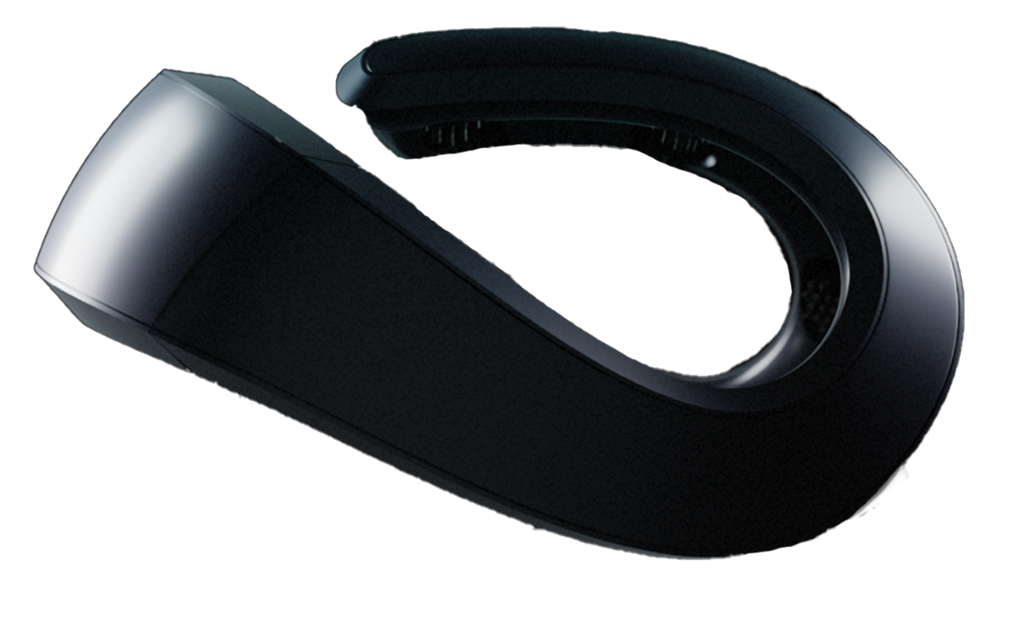
The Neurosity Crown is the most capable of these devices for knowledge workers. It's an 8-channel EEG headset with sensors at CP3, C3, F5, PO3, PO4, F6, C4, and CP4, covering frontal, central, and parietal regions. It samples at 256Hz and processes everything on-device through the N3 chipset. No cloud. No third-party access to your data. Hardware-level encryption.
What makes it relevant to timeboxing isn't just that it measures brain activity. It's that it translates that activity into a real-time focus score. A number that tells you, moment by moment, whether your brain is in a state of productive concentration or just going through the motions. Think about what this means for Parkinson's law. Instead of setting a 90-minute timebox and hoping you stay focused, you can set a focus-minutes target. "I need 60 minutes of genuine focus on this report." Then you work until you hit 60 focused minutes, regardless of whether the clock says that took 70 minutes or 120 minutes.
This flips the entire timeboxing paradigm. You're no longer managing time. You're managing cognitive output. And Parkinson's law starts to lose its grip because you can't cheat the metric. You can sit at your desk for three hours pretending to work, but your brainwaves don't pretend.
Building a Timeboxing System That Actually Works Against Parkinson's Law
Knowing which tools exist is step one. Building a system that reliably beats Parkinson's law requires combining them strategically.
Here's a framework based on the neuroscience.
Step 1: Plan at the Calendar Level
Use calendar timeboxing (Google Calendar, Sunsama, or Motion) to assign every task a time slot. Be aggressive with your estimates. If you think something will take two hours, give it 90 minutes. Parkinson's law means your "two-hour" estimate already has expansion baked in.
This creates the macro-level constraint. Your day has structure. Tasks have boundaries. There's no "I'll get to it later" because later is already spoken for.
Step 2: Execute with a Timer Plus Focus Tracking
Within each calendar block, use a timer to create micro-urgency. Pomodoro intervals work for some people. Others prefer a single countdown that matches the calendar block length.
But layer focus tracking on top. If you have a Neurosity Crown, run it during your work blocks. Watch your focus score. This adds a second dimension to your timebox: not just "am I still within my time window?" but "am I actually paying attention?"
Step 3: Review with Objective Data
At the end of each day or week, look at your data. Not just "did I complete my tasks?" but "how focused was I during each block?"
The Crown's focus and calm scores, accessible through its JavaScript and Python SDKs, let you build exactly this kind of review system. Developers can pull session data via the API and correlate focus scores with task types, times of day, and environmental conditions. Over time, patterns emerge. Maybe you discover that your focus peaks between 9 and 11 AM and craters after lunch. Maybe you find that certain task types drain your focus reserves faster than others.
This is how you calibrate your timeboxes to your actual brain, not to some generic productivity framework. And once your timeboxes match your real cognitive capacity, Parkinson's law has very little room to operate.
If you code, the Neurosity Crown's SDK opens up powerful possibilities. You can build integrations that automatically start a focus tracking session when you begin a timebox, log your focus scores to a database, and generate reports comparing your estimated time versus actual focused time across different project types. The MCP (Model Context Protocol) integration even lets AI assistants like Claude access your brain data, enabling workflows where your AI tools adapt to your current cognitive state.
Step 4: Adjust and Iterate
The biggest mistake people make with timeboxing is treating it as a set-it-and-forget-it system. Your cognitive capacity isn't static. It varies by day, by week, by season. Stress, sleep quality, exercise, nutrition, and even weather affect how long you can sustain focus.
A rigid 25-minute Pomodoro cycle doesn't account for any of this. But a system that combines calendar structure with real-time focus data can flex. On days when your brain is firing on all cylinders, you might sustain 90-minute deep work blocks. On days when you slept badly and your focus score can barely crack 50%, shorter blocks with more frequent breaks will produce better results.
The goal isn't to extract maximum hours from your day. It's to extract maximum focus from each hour.
Head-to-Head: Timeboxing Tools Compared
Let's put the top tools side by side with Parkinson's law in mind specifically.
| Tool | Method | Tracks Focus? | AI Features | Best Against Parkinson's Law When... |
|---|---|---|---|---|
| Pomofocus | 25-min intervals | No | No | You struggle to start tasks at all |
| Forest | Gamified timer | No | No | You need accountability not to touch your phone |
| Sunsama | Daily calendar planning | No | Light (task suggestions) | You tend to overcommit and tasks bleed into each other |
| Motion | AI auto-scheduling | No | Yes (schedule optimization) | Your calendar is chaotic and meetings fragment your day |
| Reclaim.ai | AI calendar defense | No | Yes (habit protection) | You need to protect focus blocks from meeting creep |
| Neurosity Crown | EEG focus tracking | Yes (real-time brainwave data) | Yes (MCP AI integration) | You want to measure actual cognitive output, not just time spent |
The honest truth: there's no single tool that solves Parkinson's law by itself. A timer without a plan is just a ticking clock. A plan without focus measurement is just wishful thinking. The most effective setup combines structure (calendar timeboxing), urgency (timers), and verification (focus tracking).
The Deeper Problem: Parkinson's Law Is a Symptom, Not the Disease
Here's something most productivity content won't tell you. Parkinson's law isn't really the problem. It's a symptom of a deeper issue: you don't know how your brain actually spends its attention.
You know how much time you spend on things. Your calendar tells you that. Your time-tracking app tells you that. But time and attention are completely different resources. You can spend two hours at your desk with your attention scattered across seventeen different thoughts, or you can spend 40 minutes in a state of concentration so deep that you lose track of everything except the problem in front of you.
Those two experiences look identical on a timesheet. They're neurologically opposite.
This is why purely time-based productivity systems eventually fail for most people. They optimize the wrong variable. And it's why the next generation of timeboxing tools, the ones that measure what your brain is actually doing, represent a genuine shift in how we think about work.
Not "how much time did I spend?" but "how much focus did I deploy?"
Not "did I sit at my desk for eight hours?" but "did I produce 3.5 hours of deep cognitive output?"
Not "did the timebox end?" but "was I present while it lasted?"
Your Brain Already Knows When You're Focused. Now You Can Too.
Every tool in this guide has its place. Pomodoro timers lower the barrier to starting. Calendar timeboxing prevents tasks from eating your day. AI schedulers handle complexity. Together, they create a solid external structure.
But the missing piece has always been internal feedback. You can set the perfect timebox, defend it on your calendar, start the timer, and sit down to work. And your brain can still wander off to think about lunch, that awkward thing you said three years ago, or whether you left the stove on. The clock doesn't know. The calendar doesn't know. Only your neurons know.
The Neurosity Crown closes that gap. Eight channels of EEG, 256 snapshots per second, processed entirely on-device with hardware-level encryption. It translates the electrical activity of your prefrontal and parietal cortex into focus and calm scores that tell you, in real-time, whether your timebox is working or just running.
Parkinson's law says work expands to fill the time available. But it can't expand to fill focus that's actually being measured. When you can see your own attention, you stop lying to yourself about how you spend it.
And that might be the most powerful timeboxing tool of all.